
Event Correlation in DevOps: How to Connect Incidents, Deployments, and Alerts
Your system doesn’t fail randomly; failures are connected. A deployment triggers an error, which triggers alerts, which escalates into an incident. This guide explains how event correlation works, why most teams don’t implement it properly, and how correlating signals across tools reduces diagnosis time by 70%.

Jake Davids

It’s 1:17pm. An incident is declared. Error rates spike. Customers are impacted. The first question your team asks is, "What changed?” Someone checks GitHub. Another scans Slack. Someone else opens dashboards. Twenty minutes later, you find out a deployment went out right before the issue. But by then, the damage is already done.
The Problem: Signals Without Connection
Modern DevOps teams don’t lack data. They have:
- Alerts from monitoring tools
- Deployments from CI/CD pipelines
- Logs and metrics across services
But these signals exist in isolation. No connection. No context. No timeline. This leads to:
- Slow root cause analysis
- Missed early warning signals
- Increased MTTR and detection latency
And most importantly, reactive firefighting instead of proactive awareness.
The Core Concept: Event Correlation
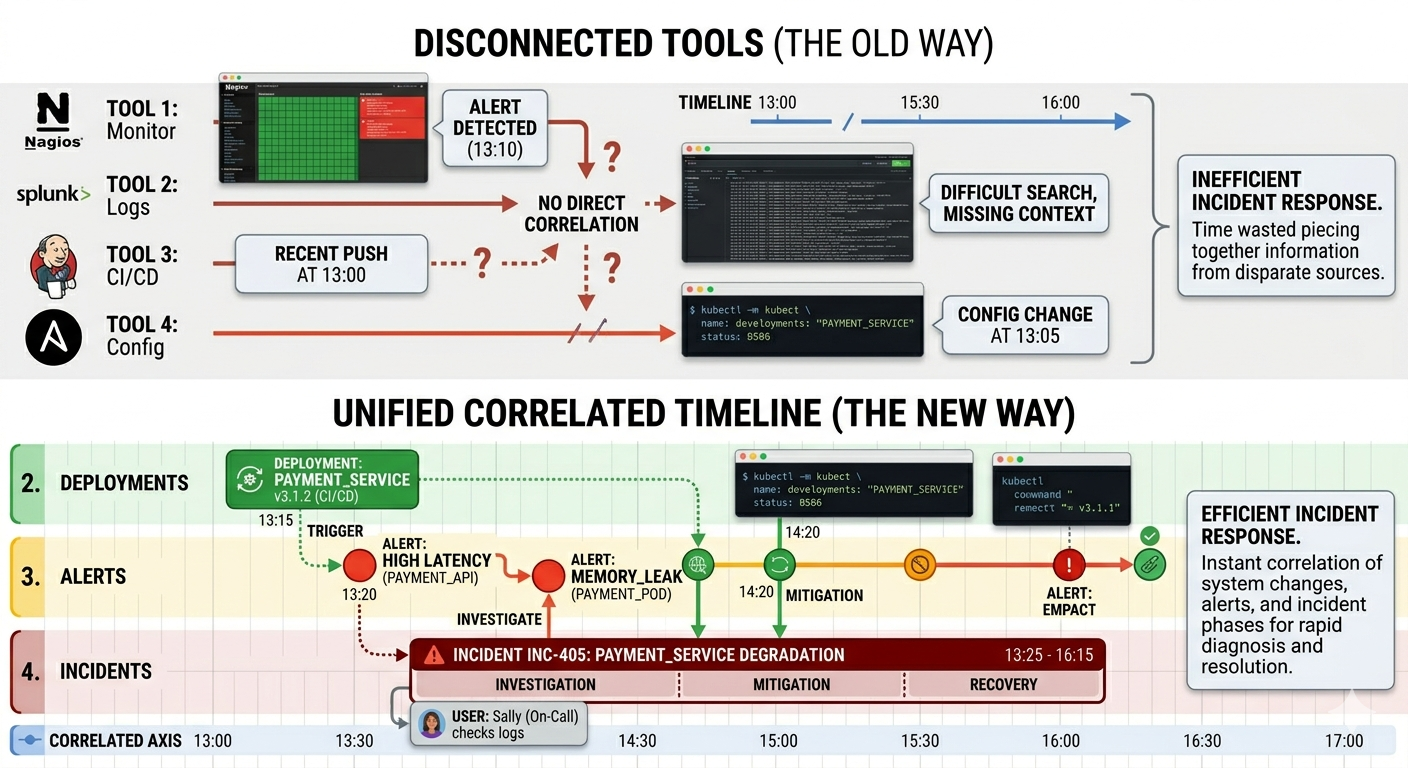
Event correlation is the process of connecting related operational signals into a single, meaningful narrative. Instead of seeing:
- A deployment
- A latency spike
- An alert
- An incident
…as separate events, correlation ties them together:
Deployment → Latency Increase → Error Spike → Incident
Now the story is clear. And so is the root cause.
Why Most Teams Fail at Correlation
1. Tool fragmentation
Deployments live in GitHub, alerts in monitoring tools, and conversations in Slack.
2. No shared timeline
Teams can’t see what happened before an incident in one place.
3. Manual investigation
Engineers are forced to connect the dots under pressure.
4. Lack of context
Alerts don’t explain why something is happening. The result: longer investigations and repeated incidents.
How High-Performing Teams Do It
1. Capture Everything as Events
Track deployments, alerts, anomalies, and incidents as structured events.
2. Centralize Into One Timeline
Bring all signals into a single chronological view. This allows teams to instantly answer, "What happened right before this broke?”
3. Correlate Automatically
A spike in errors alone is noise. A spike in errors 2 minutes after a deployment is a signal. Correlation adds meaning.
4. Add Context to Events
Every event should include:
- Service affected
- Severity level
- Related systems
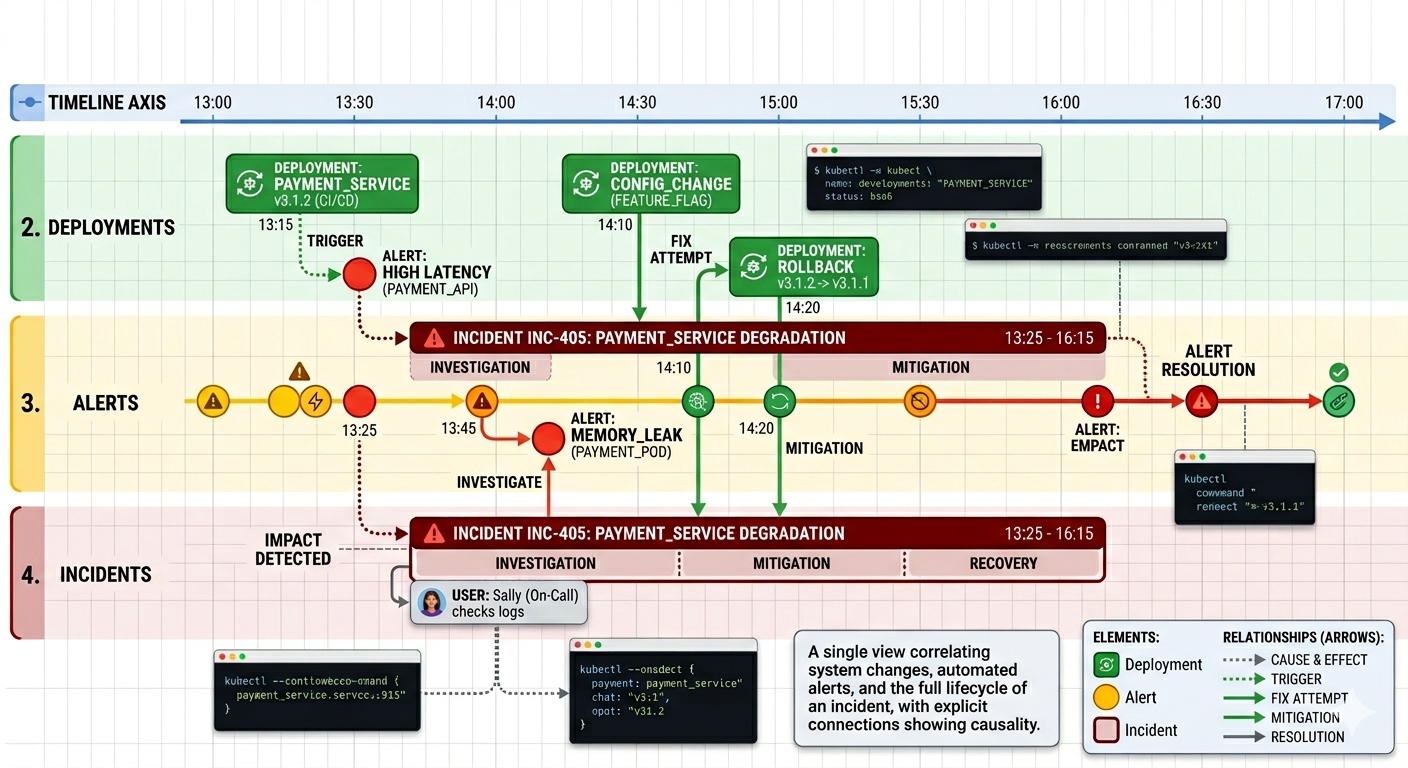
5. Surface Insights During Incidents
When an incident occurs, recent correlated events should be immediately visible. No digging. No guesswork.
Where OpsBrief Fits In
This is where OpsBrief becomes critical. OpsBrief connects tools like Slack, GitHub, and monitoring systems to:
- Capture deployments, alerts, and incidents as structured events
- Automatically correlate them in real time
- Classify events by type and severity
- Build a unified, searchable operational timeline
So instead of asking "What changed?" teams see the answer instantly.
Conclusion
Most incidents aren’t random. They’re connected to changes. But without correlation, teams are left guessing. The fastest teams don’t just collect data. They connect it. Because when events are correlated, root cause becomes obvious and resolution becomes faster.


